Switching companies
Loan officer switching companies? Keep your website brand.
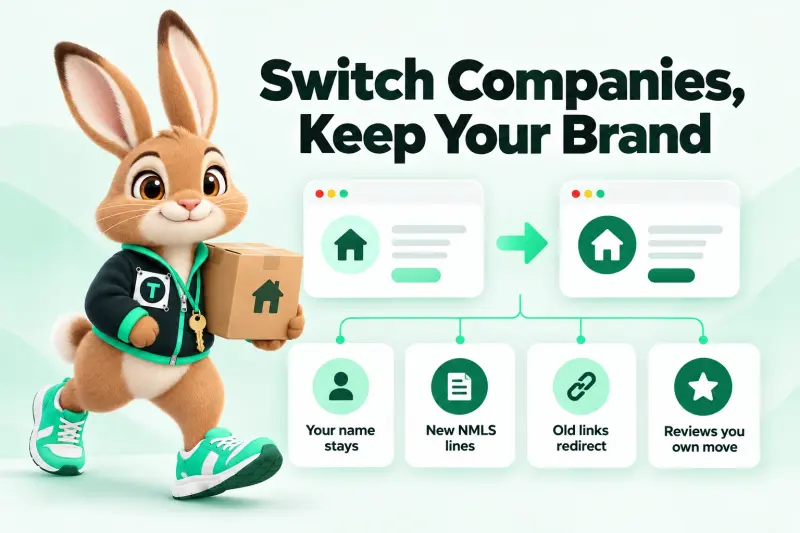
Your name, bio, domain and the reviews you own move with you. The old company's name, NMLS ID and license lines don't. We move the site, swap the lines on your start day, and redirect every old link so partners still find you.
Drag to compare your footer — before and after
Illustration with fictional names and placeholder IDs. Your individual NMLS ID stays the same; the company lines change.
What moves
What stays yours, and what has to change?
Stays yours
- Your name, photo and bio
- Your personal domain (if it is registered to you)
- Reviews you collected on your own profiles
- Your blog posts and guides
- Your phone number, if it is yours
Must change
- Company name, logo and company NMLS ID
- License lines and state disclosures
- Equal Housing / company disclaimers
- Application and pre-qualification links
- Rate or program claims tied to the old lender
Redirect map
How do redirects keep my old links working?
A redirect tells browsers and search engines "this page moved here, permanently" (a 301). Every URL you've shared gets mapped to its closest new page, so a partner's old bookmark still reaches you.
We can only redirect URLs on domains you control. If your old profile lives on the old company's site, ask them to redirect it.

| Old URL | New URL | Why |
|---|---|---|
| /about-jane | /about/ | Bio page renamed |
| /fha-loans-old-lender | /loan-programs/fha/ | Program page without the old company name |
| /apply-now | /apply/ | New application, routed to your new CRM |
| /old-lender-calculator | /calculators/ | Calculator now on your site |
| /team/jane-doe | / | Old company team page (only if you control it) |
The move plan
The 30-day plan for switching lenders
Built quietly before your start date, switched on the morning you start.
2 weeks before
Plan the move quietly
We copy your current content, list every URL you've shared and draft the new site privately. Nothing changes publicly while you are still at the old company.
Start day − 2
Compliance packet to the new company
Your new marketing or compliance team gets the preview and the disclosure list, so approval is ready for your first day.
Start day
Switch the lines, go live
The morning your sponsorship shows on NMLS Consumer Access, we switch the company lines, turn on redirects and point the domain.
Start day + 1
Tell your partners
We give you a short announcement and new links for your email signature, social bios and Google profile.
First 30 days
Catch the stragglers
Leads from old links land in your new CRM. We watch for 404s and add redirects for anything we missed.
Price
What does moving your site cost?

Moving Day
$119/mo
Setup $349, waived on annual billing
- Everything in First Desk
- Move from your old site: content, bio, reviews you own
- Redirect map + domain transfer help
- CRM with follow-up sequences
- 3 loan-program lead funnels
- Reviews request engine
- Up to 15 pages

Full Launch bundle
$359/mo
Moving Day + the All-channel AI Engine, so no call goes unanswered in your first busy weeks.
Choose the bundleWhat the AI Engine does
Sample stories
Sample switch stories
These are sample testimonials written to show the kind of launches we run — not quotes from real clients. Real, verified reviews will replace them as clients go live. Why we label them.
Day 5 · launchedSample
“I started at my new company on a Monday and the site was live the next Monday with my new NMLS lines. My compliance manager signed off on the first pass.”
Sample: Dana R.
Loan officer, switching companiesMoving Day plan · redirects from old site
Week 2 · after launchSample
“The AI receptionist booked two calls on a Saturday while I was at my kid’s game. It did not quote a single rate — it just took the details and booked me.”
Sample: Luis M.
Loan officer, first yearDay-One Desk bundle

FAQ
Switching companies: your questions
Can I keep my loan officer website when I switch companies?
Usually yes, if the domain and content are yours. What changes is everything tied to the old company: its name, logo, NMLS ID, license lines and any program or rate claims. We move the site and swap those lines on your start day.
How do I update my NMLS information on my website?
Once your new sponsorship shows on NMLS Consumer Access, your individual NMLS ID stays the same but the company name and company NMLS ID change. We update the footer block, your profile, the contact page and any disclosures, then link the IDs to NMLS Consumer Access so borrowers can verify them.
What if my old company owns my website?
Then the site is theirs, and so are its URLs. We build you a new site on a domain you own, and you ask your old company to redirect your old profile page if they will. Check your employment agreement — we can't advise on it.
Will I lose my Google rankings?
Moving pages without redirects loses them. With a redirect map from every old URL to its closest new page, search engines transfer most of the signals over time. We set the redirects on launch day and monitor for missed URLs for 30 days.
Can I take my reviews with me?
Reviews on profiles you personally own (for example your own Google Business Profile, Zillow or Experience.com profile) stay with you. Reviews collected on your old company's profile belong to that profile. We only display reviews you have the right to show, with source and date.
How do I keep referral partner leads during the gap?
Old links redirect to your new site, and every form lands in the CRM included with your plan, so a partner who uses an old link still reaches you. We also give you a short note to send partners on day one.
Can I contact my old clients?
That depends on your agreements with your old company and on privacy and marketing laws. We don't import client lists without your confirmation that you're allowed to use them. This isn't legal advice; ask your own counsel.
How much does a company switch cost?
The Moving Day plan is $119/mo with a $349 setup fee (waived on annual billing). It includes migration, the redirect map and CRM. Bundle it with the AI Engine as Full Launch for $359/mo.
Can you build before my start date?
Yes. Most switches are built in the two weeks before the move and kept private. Launch happens the morning your new sponsorship is active.
How long does the switch take?
The build itself follows our 5-business-day timeline. The real timing is set by your start date and your new company's approval.
Launch day in 5 business days
Start date on the calendar? Let's plan the move.
Tell us your start date and your new company. We'll build quietly and switch everything on the morning you start.
No payment on the form · Monthly plans cancel any time · Reply within 4 business hours